Skip to content
CStatTrak

Everything you need from FACEIT, right where you play.

CStatTrak brings the information you actually need into the pages you already use: recent performance, player reputation, party context and practical match tools.

Built into FACEIT FACEIT OAuth EN / FR / RU

Your match room, with more context.

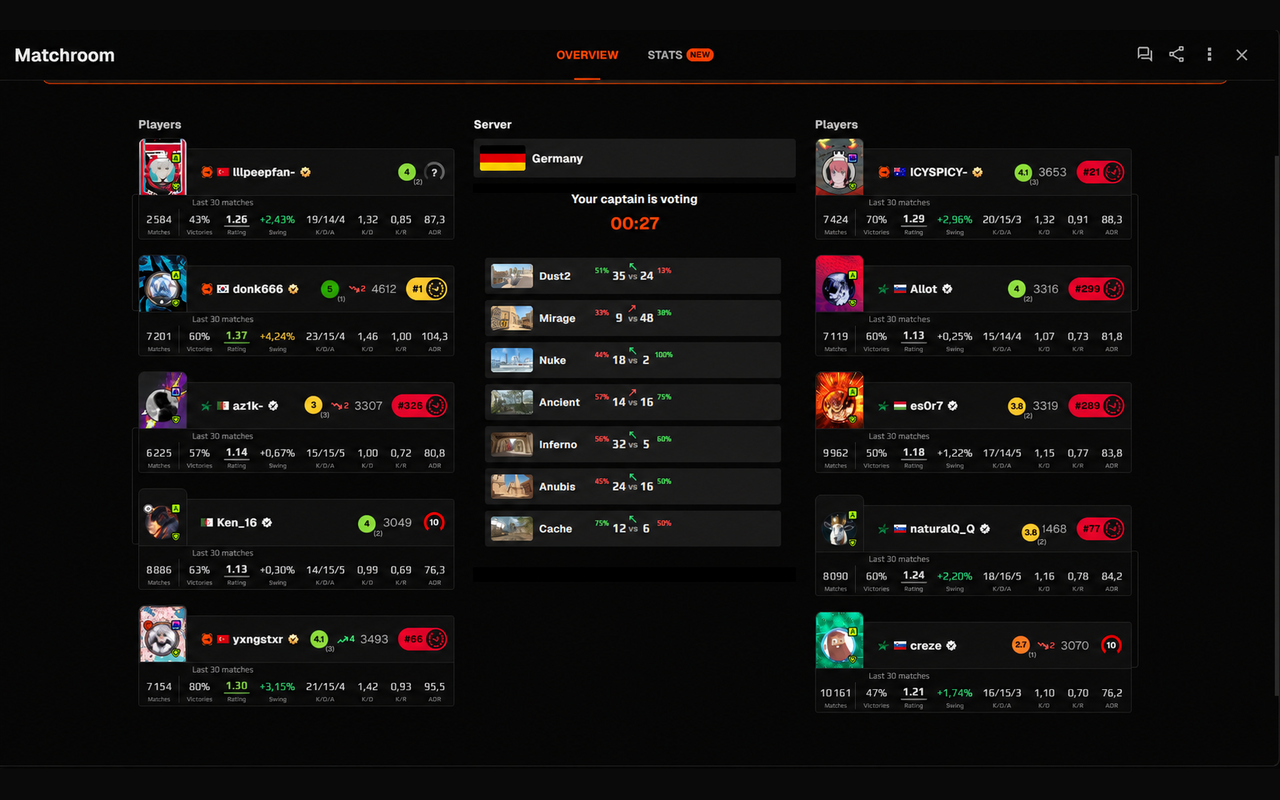
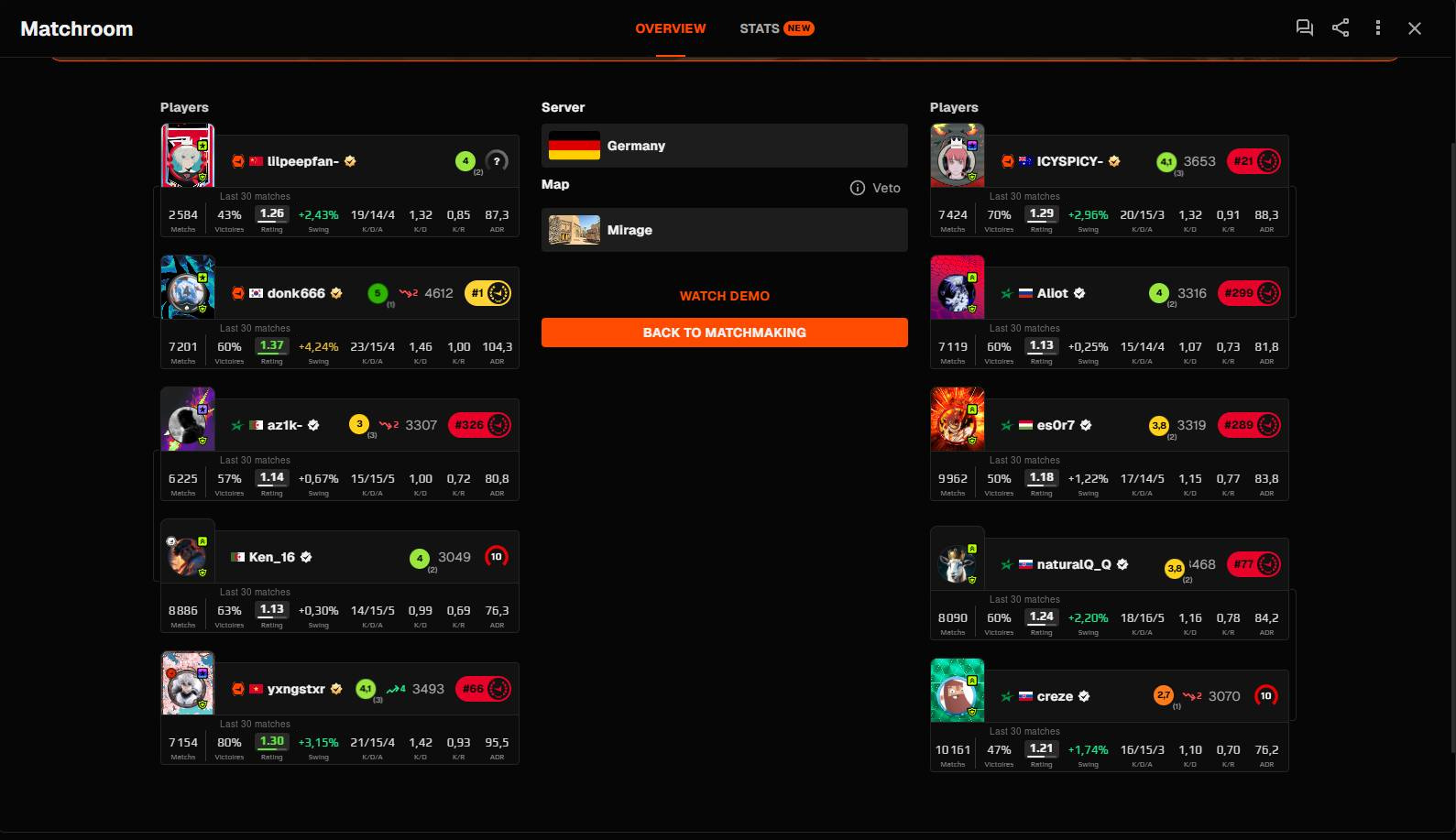
The information is added where you already look, so you can compare both teams without opening extra profiles or external stat pages.

CStatTrak statistics and community ratings displayed directly in a FACEIT match room
Useful statsRating, Swing, K/D/A and more, displayed directly in the room.
Player contextReputation and win/loss streak badges give extra context without replacing FACEIT’s own level and Elo.
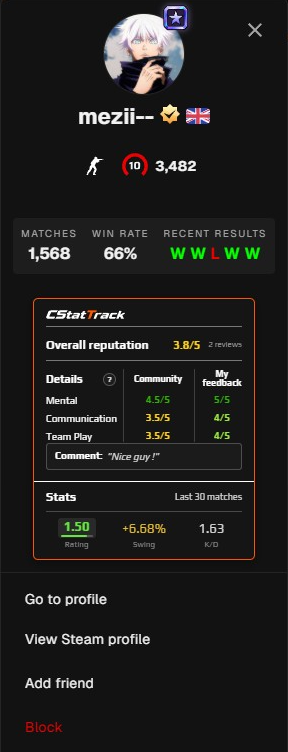
CStatTrak player panel showing community feedback, a private personal comment and recent performance statistics
Overall community reputationDetailed mentality, communication and teamplay scores
Useful statsRating, Swing and K/D over the last 30 matches
02 · Player panel

Performance and reputation, together.

Open a player card and get a compact view of community feedback alongside recent performance. The two remain clearly separated, so reputation never gets confused with statistics.

Overall community reputation
Detailed mentality, communication and teamplay scores
Rating, Swing and K/D over the last 30 matches
Personal comments A comment saved about a player remains visible only to its author.
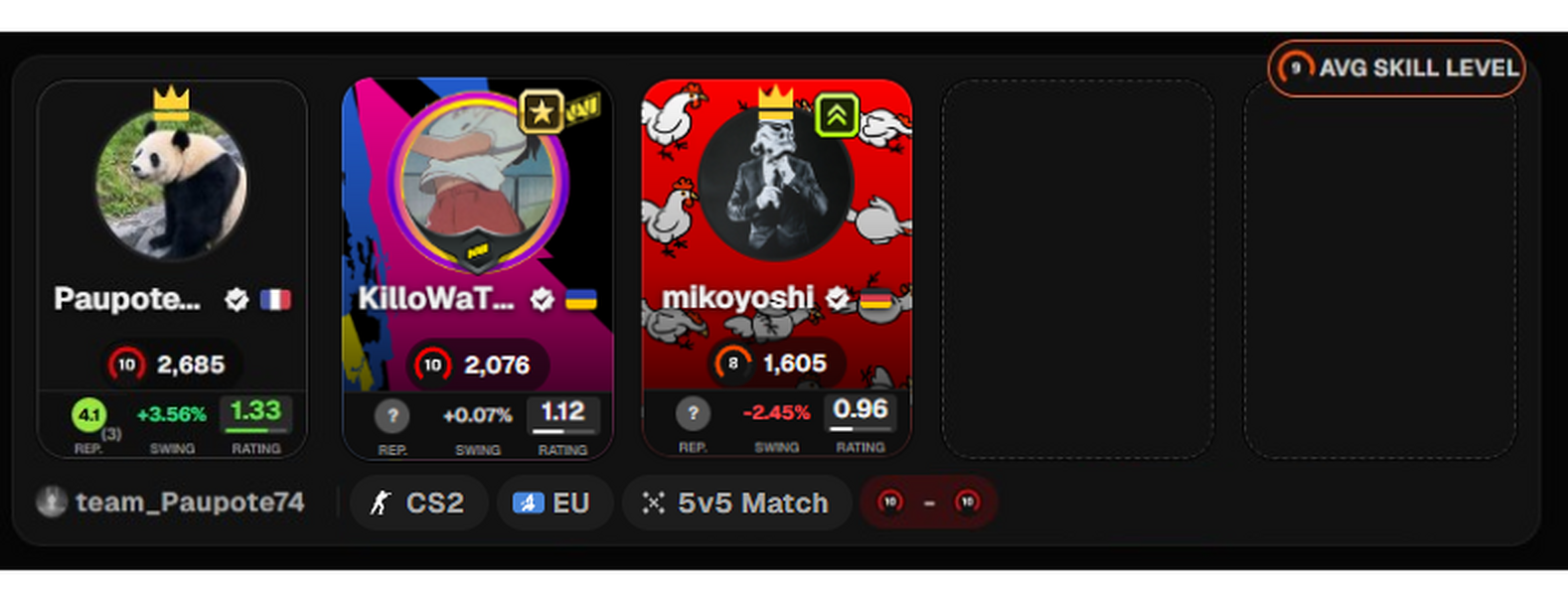
CStatTrak party overview on FACEIT Club and Parties pages with player comparison annotations
Community reputationOverall community reputation
Recent performanceCommunity rating, Swing and Rating side by side
03 · Party overview

Compare a party without opening every profile.

On FACEIT Club and Parties pages, as well as in matchmaking groups, CStatTrak keeps the important indicators together on each player card. Reputation, Swing and Rating stay aligned to make the group easier to read at a glance.

Instant party overview
Compare every player before joining
Map veto context
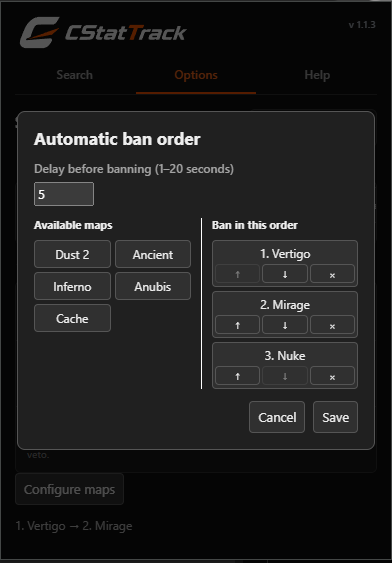
Automatic map banning
Maps played by each player
Win percentage
Favorite indicator
04 · Map veto

Choose wisely

During the veto phase, check stats based on each map.

Maps played by each player
Win percentage
Favorite indicator
Automatic map banning — Configure your preferred map order and countdown.
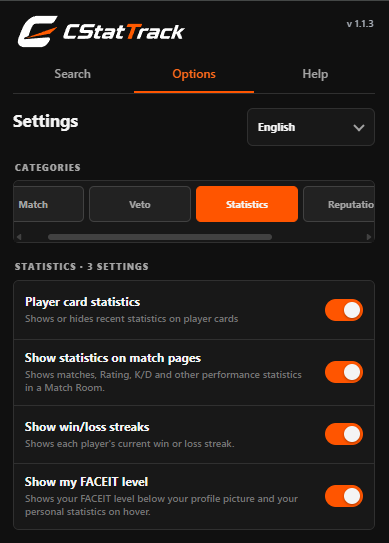
CStatTrak settings popup with language selection and independent feature toggles
Language selectionEnglish, French and Russian interface
Settings grouped by categoryMatch, Veto, Statistics and Reputation options.
Independent feature togglesUse only the parts you want.
05 · Settings

Use only the parts you want.

Statistics, community ratings and match tools are grouped separately. A clearly labelled sponsored panel may appear during an active CStatTrak campaign and can be disabled in the extension settings.

English, French and Russian interface
Independent feature toggles
Settings grouped by category

Less clicking. More focus on the match.

Small automations remove repetitive actions while keeping each tool optional in the extension settings.

01

Automatic match acceptance

CStatTrak can accept a ready match for you when the option is enabled.

02

Automatic server address copy

Automatically copy the server address when it becomes available. This feature can be disabled at any time.

Feedback should remain useful and respectful.

Players can report feedback displayed on their own profile. Reports are reviewed, and abusive, hateful, spam or deliberately misleading content may be removed. Personal comments remain visible only to their author.

Read the FAQ

Secure FACEIT Sign-In

Your FACEIT identity should be verified, never guessed.

CStatTrak uses FACEIT OAuth. This makes it possible to link reputation left on players to a specific account.

1. FACEIT OAuth

CStatTrak retrieves your FACEIT profile name.

2. Secure verification

The connection is then handled securely so CStatTrak can confirm the right FACEIT account.

3. Verified FACEIT ID

Reputations and account-related actions can then be tied to the FACEIT account you confirmed.

No assumed identity
CStatTrak does not guess who you are instead of relying on a verified FACEIT identity.

Data used only for the features you expect.

Personal comments stay private to their author, communication between the extension, CStatTrak and FACEIT uses HTTPS, and the project is designed without selling user data or personalized advertising. Sponsored panels are optional; their impression and click counting is described in the privacy policy.

View the full privacy policy
↑